
Tolleson, AZ · Maricopa County
Senate Bill 1598 Compliance Review Waiver
This agreement lets an applicant seeking a Tolleson license, permit, or approval choose the City’s flexible application process by waiving claims under A.R.S. §9-831 et seq.
- licensed online notary
- ~15 min average
- Notarized PDF emailed
What you’ll need
- Government-issued photo ID
- Webcam-enabled device (laptop or phone)
- This form, ready to upload as a PDF
What this form is
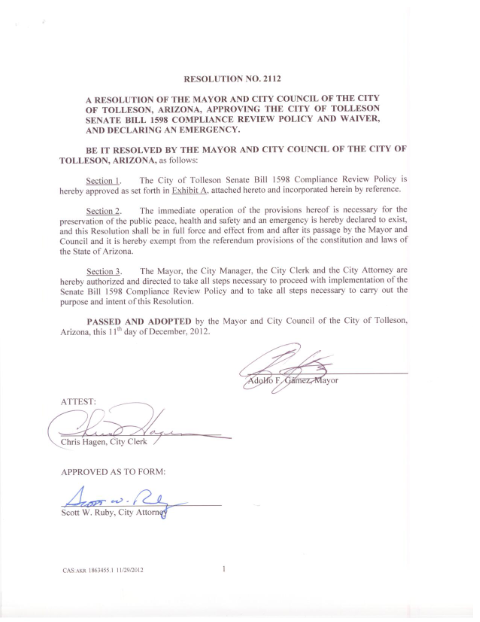
Tolleson applicants may use this agreement to choose the City’s flexible application process instead of the review process under A.R.S. §9-831 et seq. The applicant or authorized agent signs the waiver when submitting the application; the agreement describes the choice, its effects, and the applicant’s responsibilities. It also includes spaces for the property and license sought, case number, applicant signatures, and City Building & Engineering Department approval, with Exhibits A and B.
Who needs it
A property owner or authorized agent applying to Tolleson for a license, permit, approval, registration, or other development-related authorization may use this waiver to select the flexible application process.
Why it needs a notary
The form has a state jurat beginning “On this day…before me personally appeared”; the applicant signing the agreement appears before the notary and is identified by satisfactory evidence.
How to get this notarized
- 1
Download the Waiver
Get the Senate Bill 1598 Compliance Review Waiver from the City of Tolleson.
- 2
Fill In the Agreement
Enter the applicant, property, case number, and license sought. Review Exhibits A and B and leave the notary section unsigned.
- 3
Book an Online Notary
Schedule a Rush Notary session with a commissioned online notary.
- 4
Sign on Video
Appear by live audio-video, show satisfactory evidence of identity, and sign when directed so the notary can complete the jurat.
- 5
Submit to Tolleson
Submit the notarized waiver with your application to the City of Tolleson Building & Engineering Department.
Preview the form
The blank PDF straight from Tolleson. Look it over, then upload your filled copy to start the notary session.

You’ll need ID and a webcam.
A licensed online notary will join you on video, verify your government-issued ID, witness your signature, and apply their seal. You’ll receive the notarized PDF by email when the session ends.
Frequently asked questions
- How do I complete the Tolleson compliance review waiver?
- Complete the applicant, property, case number, and license information, then sign before a commissioned online notary during a live audio-video session. Submit the signed waiver with your application to the City.
- Do I need to sign this waiver before a notary?
- Yes. The waiver includes a notarial jurat, and the applicant signing the agreement must appear before the notary and be identified by satisfactory evidence.
- Can I notarize this waiver online?
- Arizona has authorized remote online notarization for its own notaries since July 2020 under A.R.S. §41-371 et seq. Arizona also recognizes notarial acts performed by notaries of other states under A.R.S. §33-501. Rush Notary sessions are conducted by a commissioned online notary over live audio-video.
- What should I include with the waiver?
- The agreement references Exhibit A for the property address or description and license sought, and Exhibit B comparing the statutory and flexible processes. Confirm application materials and submission requirements with the city/town if unsure.