
Mammoth Lakes, CA · Mono County
Senate Bill (SB) 9 Application
A Town of Mammoth Lakes planning form for property owners pursuing an SB 9 urban lot split or two-unit residential development, with a notarized property owner signature page.
- California-licensed notary
- ~15 min average
- Notarized PDF emailed
What you’ll need
- Government-issued photo ID
- Webcam-enabled device (laptop or phone)
- This form, ready to upload as a PDF
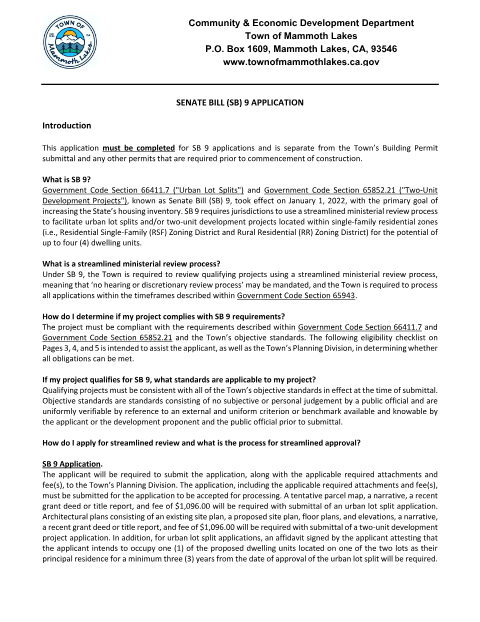
What this form is
California Senate Bill 9 (Government Code §§ 66411.7 and 65852.21) requires cities to ministerially approve qualifying urban lot splits and two-unit developments on single-family lots. Mammoth Lakes requires this separate SB 9 application alongside the building permit package, and the Property Owner Signature section must be completed under a full California All-Purpose Acknowledgment rather than a plain signature.
Who needs it
Property owners in Mammoth Lakes applying to split a single-family lot or build a second residential unit under SB 9.
Why it needs a notary
The form marks each Property Owner Signature line '(Notary Required)' and attaches a California All-Purpose Acknowledgment certificate that must be completed before a notary public.
How to get this notarized
- 1
Download the Form
Get the SB 9 Application PDF from the Town of Mammoth Lakes Community & Economic Development Department.
- 2
Fill In Property Details
Complete the project description, zoning district, and lot information sections.
- 3
Book Online Notary
Schedule a remote online notarization session to sign the Property Owner Signature acknowledgment.
- 4
Sign on Video
Verify your identity and sign the acknowledgment live in front of the online notary.
- 5
Submit to the Town
Deliver the completed, notarized application to the Community & Economic Development Department.
Preview the form
The blank PDF straight from Mammoth Lakes. Look it over, then upload your filled copy to start the notary session.

You’ll need ID and a webcam.
A licensed California online notary will join you on video, verify your government-issued ID, witness your signature, and apply their seal. You’ll receive the notarized PDF by email when the session ends.
Frequently asked questions
- Do I need a notary for the Mammoth Lakes SB 9 Application?
- Yes. The Property Owner Signature section is marked 'Notary Required' and includes a California All-Purpose Acknowledgment that must be signed before a notary.
- How do I get the SB 9 Application notarized online?
- Download the form, fill in the property and project details, then book a remote online notarization session to sign the acknowledgment in front of a live notary via video.
- Can an authorized agent sign the SB 9 Application instead of the owner?
- Yes, but the agent must attach a separate notarized letter of authorization from the legal property owner.
- Will Mammoth Lakes accept a remote online notarization?
- California recognizes notarial acts performed by notaries commissioned in other states when the act complies with that state's law; check with the Town's Community & Economic Development Department if you are unsure whether they will accept it.
- What happens after I submit the notarized SB 9 Application?
- The Town reviews it under SB 9's streamlined ministerial process, separate from the building permit submittal.