
Surprise, AZ · Maricopa County
Annual Lobbyist Expenditure Report for Organizations
This annual report records lobbyist expenditures by an organization and is filed with the Surprise City Clerk’s Office by the organization’s representative.
- licensed online notary
- ~15 min average
- Notarized PDF emailed
What you’ll need
- Government-issued photo ID
- Webcam-enabled device (laptop or phone)
- This form, ready to upload as a PDF
What this form is
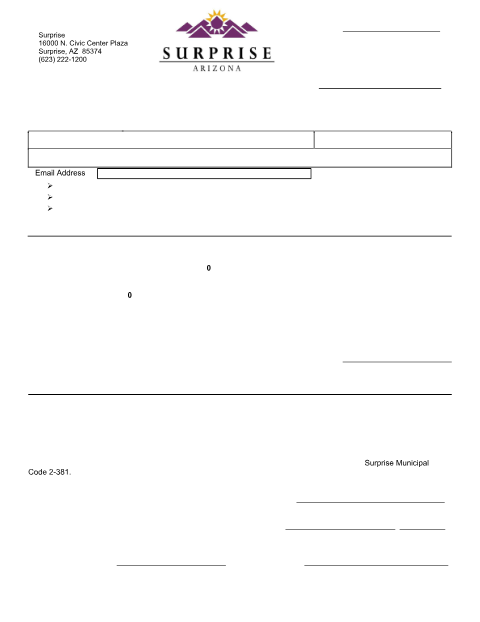
Organizations use this three-page form to report expenditures for registered officers and employees, including individual expenditures, event costs, and whether expenditures were reported separately or not made. The report is due by January 31 each year and includes a verification by oath or affirmation from an organization representative. The form instructs filers to attach additional pages when needed and to submit the completed report to the Surprise City Clerk’s Office.
Who needs it
An organization with officers or employees who have not filed exemption statements must file this report, including the required expenditure schedules.
Why it needs a notary
The form has a verification by oath or affirmation with a jurat; the organization representative signs and swears or affirms before the notary.
How to get this notarized
- 1
Download the Report
Get the Annual Lobbyist Expenditure Report for Organizations from the Surprise City Clerk’s Office.
- 2
Complete the Form
Enter organization and reporting-period details, complete applicable schedules, and attach additional pages if needed.
- 3
Book an Online Notary
Schedule a session with a commissioned online notary for the report’s oath or affirmation.
- 4
Sign on Video
The organization representative signs and swears or affirms before the notary over live audio-video.
- 5
Submit to the City
File the completed report with the Surprise City Clerk’s Office by January 31.
Preview the form
The blank PDF straight from Surprise. Look it over, then upload your filled copy to start the notary session.

You’ll need ID and a webcam.
A licensed online notary will join you on video, verify your government-issued ID, witness your signature, and apply their seal. You’ll receive the notarized PDF by email when the session ends.
Frequently asked questions
- How do I notarize the organization lobbyist expenditure report online?
- Complete the report, then meet with a commissioned online notary over live audio-video. Sign and swear or affirm during the session, and file the completed report with the Surprise City Clerk’s Office.
- Do I need to sign the report in front of a notary?
- Yes. The form includes a verification by oath or affirmation and a jurat for the organization representative’s signature and sworn or affirmed statement.
- Who completes the expenditure schedules?
- The report directs organizations to complete Schedule A for officers and employees who made expenditures, and Schedule B for those who reported expenditures separately or made none.
- Can I use a commissioned online notary for this form?
- Arizona has authorized remote online notarization by its own notaries since July 2020 under A.R.S. §41-371 et seq., and recognizes notarial acts by notaries of other states under A.R.S. §33-501. Confirm with the city if unsure.