
Scottsdale, AZ · Maricopa County
Waiver of Right to Make a Claim Under the Private Property Protection Act
This short agreement records a property owner’s waiver of certain compensation claims when requesting a Conditional Use permit from the City of Scottsdale.
- licensed online notary
- ~15 min average
- Notarized PDF emailed
What you’ll need
- Government-issued photo ID
- Webcam-enabled device (laptop or phone)
- This form, ready to upload as a PDF
What this form is
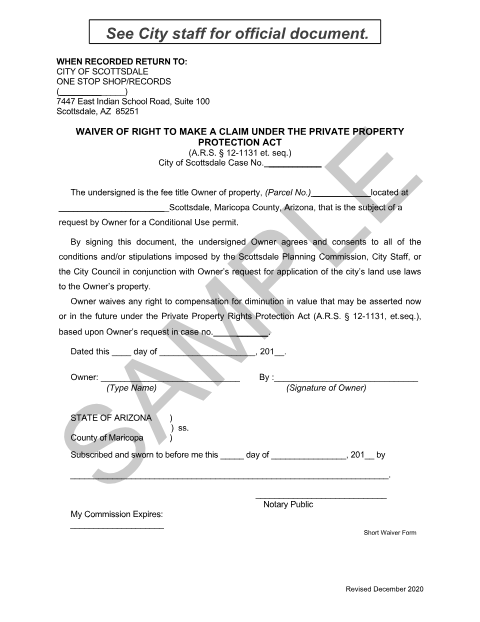
The agreement identifies the property and Scottsdale case number, accepts conditions or stipulations tied to the owner’s Conditional Use permit request, and waives certain claims for compensation for diminution in property value. The form says it is to be recorded and returned to the City of Scottsdale One Stop Shop/Records. It is marked “SAMPLE”; the form directs applicants to see City staff for the official document.
Who needs it
A fee title property owner requesting a Scottsdale Conditional Use permit may need this agreement for the related land-use application.
Why it needs a notary
The form includes a subscribed-and-sworn jurat, and the property owner must sign and swear to the document before the notary.
How to get this notarized
- 1
Download the Form
Get the waiver form and check with Scottsdale staff for the official document, since this copy is marked “SAMPLE.”
- 2
Fill In the Form
Enter the case number, parcel number, property location, date, and owner information.
- 3
Book an Online Notary
Schedule a live audio-video session with a commissioned online notary.
- 4
Sign on Video
Sign and swear to the waiver before the notary during the online session.
- 5
Submit to the City
Follow the city’s directions to record and return the completed document to the One Stop Shop/Records.
Preview the form
The blank PDF straight from Scottsdale. Look it over, then upload your filled copy to start the notary session.

You’ll need ID and a webcam.
A licensed online notary will join you on video, verify your government-issued ID, witness your signature, and apply their seal. You’ll receive the notarized PDF by email when the session ends.
Frequently asked questions
- How do I get the Scottsdale waiver notarized online?
- Complete the form, then meet with a commissioned online notary over live audio-video. Sign and swear to the document during the session, and follow the city’s instructions for recording and return.
- Do I need to sign the waiver in front of a notary?
- Yes. The form includes a subscribed-and-sworn jurat, so the property owner must sign and swear to it before the notary.
- Can a commissioned online notary notarize this form?
- Arizona has authorized remote online notarization for its own notaries since July 2020 under A.R.S. §41-371 et seq., and recognizes notarial acts by notaries of other states under A.R.S. §33-501. Confirm with the city/town if unsure.
- Is this sample form ready to record?
- The document is marked “SAMPLE” and says to see City staff for the official document. Check with the City of Scottsdale before using it.